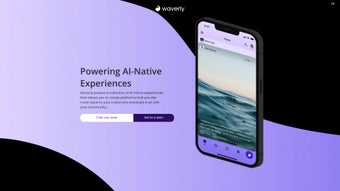

Download Waverly – AI‑Powered Content Summarizer, Personalized Feeds & Collaboration Tool
Overview
Waverly is a web‑based AI text summarizer designed to turn the endless flood of online articles into concise, actionable insights. Built on a sophisticated recommendation engine, the platform curates a personalized content feed that aligns with each user’s professional interests—whether you’re an executive hunting for market trends, an analyst needing quick data snapshots, or a researcher looking for the latest scholarly commentary. Beyond summarization, Waverly creates a distraction‑free reading environment where users can highlight, annotate, and share insights in real time, fostering seamless collaboration among teams and clients.
The adaptive AI learns from interaction patterns, continuously refining the relevance of suggested articles and the quality of generated summaries. While the current mobile offering is limited to a web app, the desktop experience runs smoothly in any modern browser, making it a versatile addition to any workflow. Waverly’s blend of intelligent summarization, community‑driven recommendations, and collaborative tools positions it as a productivity booster for knowledge‑intensive professions.
Key Features & Benefits
- AI‑Driven Summarization: Generates accurate, bite‑size summaries in seconds, preserving the core message of long‑form articles.
- Personalized Content Feed: Leverages machine‑learning to recommend articles that match the user’s industry, role, and reading history.
- Real‑Time Collaboration: Teams can highlight, comment, and co‑author summaries, streamlining review cycles and decision‑making.
- Annotation & Highlighting Tools: Built‑in markup options let users flag key passages and add notes without leaving the platform.
- Distraction‑Free Interface: Minimalist design removes ads, sidebars, and pop‑ups, allowing users to focus on the content.
- Workflow Integration: Export summaries to PDF, CSV, or directly to project‑management tools such as Slack, Trello, and Asana.
- Community Insights: Users can follow thought‑leaders, join topic‑specific groups, and see how peers are summarizing the same material.
- Adaptive Learning Engine: The AI refines its recommendations based on feedback, ensuring relevance grows over time.
These features translate into tangible benefits for professionals. Executives can skim market briefs during briefings, analysts can extract data points for reports without wading through entire papers, and researchers can quickly assess the relevance of new studies before diving deeper. The collaborative environment eliminates the need for multiple email threads, as annotations and comments stay attached to the original source. Moreover, the export capabilities mean that insights can be incorporated into presentations, dashboards, or client deliverables with a single click, saving hours of manual copy‑pasting.
Installation, Usage & Compatibility
Getting Started
Waverly is a cloud‑native solution, so there is no traditional installation process. To begin, visit waverly.ai, click “Sign Up,” and create a free account using an email address or single sign‑on (SSO) via Google or Microsoft. After confirming the email, you’ll be taken to a short onboarding wizard that asks about your industry, job role, and topics of interest. This information fuels the recommendation engine and tailors the initial content feed.
How to Use the Summarizer
Once logged in, the dashboard displays a stream of articles sourced from reputable publishers, blogs, and research databases. Click any headline to open the article in Waverly’s reading pane. The AI automatically generates a summary that appears at the top of the page.
If you prefer a custom length, use the “Summary Length” slider to request a 2‑sentence, 5‑sentence, or full‑paragraph version. Highlight any portion of the text, then choose “Add Note” to attach an annotation. Notes can be shared with teammates by selecting “Share with Team,” which sends a secure link and updates the collaboration space in real time.
System Requirements
Because Waverly runs entirely in the browser, it is compatible with any operating system that supports modern web standards. Recommended browsers include Google Chrome (v90+), Mozilla Firefox (v85+), Microsoft Edge (v90+), and Safari (v14+). The platform is optimized for both desktop and laptop screens, offering a responsive layout that adjusts to various resolutions. While a native mobile app is still in development, the web interface works well on tablets and smartphones, though some advanced annotation features are best experienced on larger displays.
For teams requiring tighter security, Waverly offers SSO, two‑factor authentication (2FA), and data encryption both in transit and at rest. Administrators can manage user permissions, set content‑access policies, and audit activity logs from the admin console, ensuring compliance with corporate governance standards.
Pros, Cons & Frequently Asked Questions
Pros
- Fast, accurate AI summarization reduces reading time dramatically.
- Highly personalized feed ensures relevance across industries.
- Robust collaboration tools replace lengthy email threads.
- Export options integrate summaries directly into existing workflows.
- Secure, cloud‑based architecture with SSO and 2FA for enterprise environments.
Cons
- Mobile experience is limited to the web app; no dedicated native iOS/Android apps yet.
- Large content volumes may cause occasional latency during peak usage.
- Free tier imposes a daily summary limit, requiring upgrade for heavy users.
FAQ
Is Waverly suitable for non‑technical users?
Yes. The interface is designed with a clean, intuitive layout. Summaries are generated automatically, and the highlight‑and‑note workflow requires no coding knowledge.
Can I integrate Waverly with my existing project‑management tools?
Absolutely. Waverly offers native integrations with Slack, Microsoft Teams, Trello, Asana, and Zapier, allowing you to push summaries directly into tasks or channels.
How does the AI maintain accuracy across different domains?
The summarization engine is trained on a diverse corpus of news, scientific papers, and business reports. It adapts to user feedback, improving domain‑specific accuracy over time.
Is my data safe when I share annotations with a team?
All data is encrypted in transit (TLS 1.3) and at rest. Access is controlled via role‑based permissions, and audit logs track every interaction.
What pricing plans are available for enterprises?
Waverly offers a free tier with limited daily summaries, a Pro plan at $12 per user/month, and an Enterprise plan with custom pricing, unlimited summaries, dedicated support, and advanced security features.
Conclusion & Call to Action
In a world where information overload can cripple decision‑making, Waverly delivers a smart, streamlined solution that turns dense articles into digestible insights while keeping teams aligned. Its AI‑powered summarizer, personalized feed, and real‑time collaboration tools create a workflow that saves time, enhances comprehension, and supports strategic thinking. Though the mobile experience could be more robust and large‑scale usage may occasionally test performance, the core functionality is solid and continuously improving.
For executives seeking rapid market overviews, analysts needing quick data extraction, or researchers wanting to stay ahead of the literature curve, Waverly offers a free trial that showcases its value without commitment. Click the button below to create your account, explore the AI summarizer, and experience a new level of productivity.
Start Your Free Trial of Waverly Today
Overall Rating: 4.5 / 5



.png)



